

01
Sort every student into a house
Houses named by your school. Students join one and stay with it, building belonging from day one.

A celebration system, not a discipline log. Teachers award points for the values your school teaches in two taps, students watch their house rise on the hallway TV, and the whole school celebrates together.

Recognizewhatbringsustogether.
Every student belongs to a house. Every kind, brave or responsible act earns points for it. Over a year, that adds up to a school where students notice the best in each other.
Houses named by your school. Students join one and stay with it, building belonging from day one.
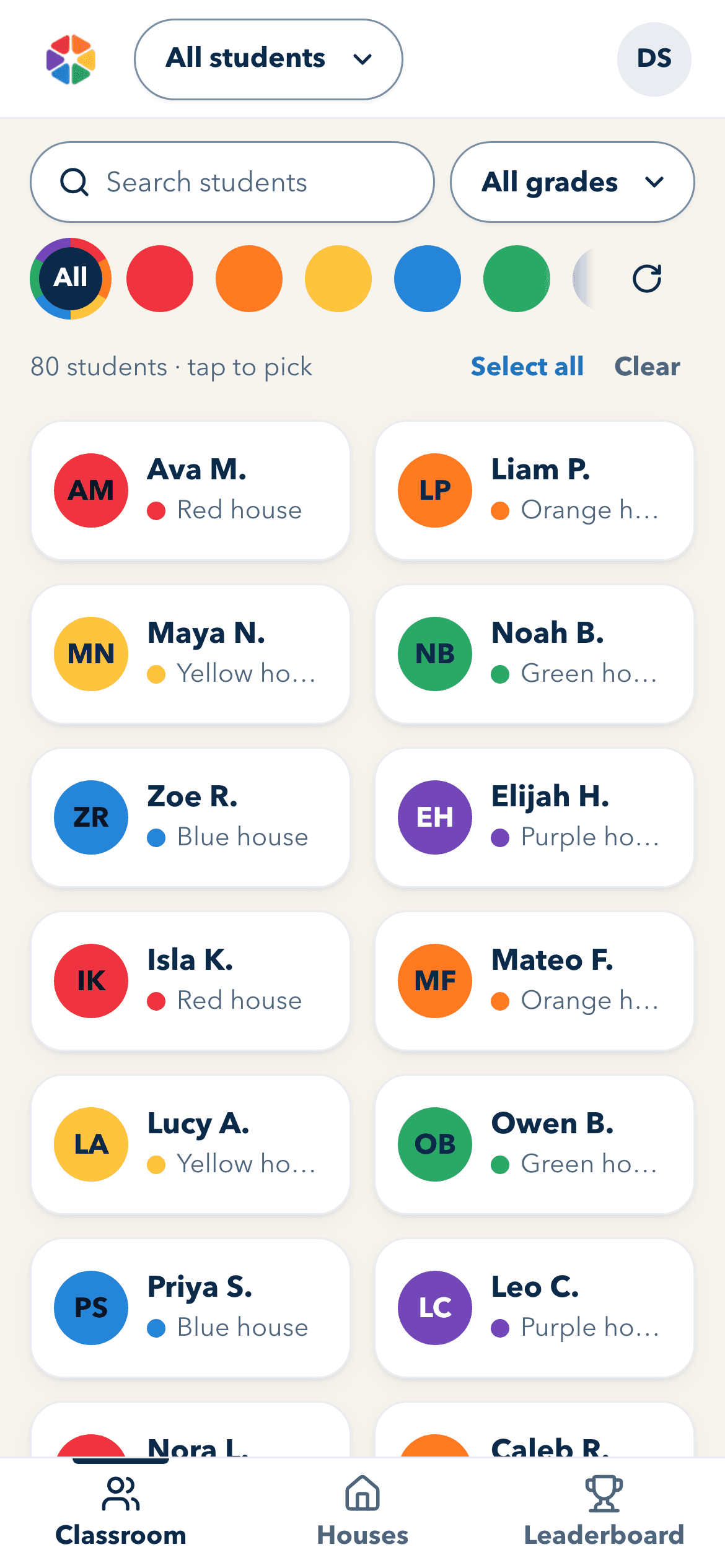
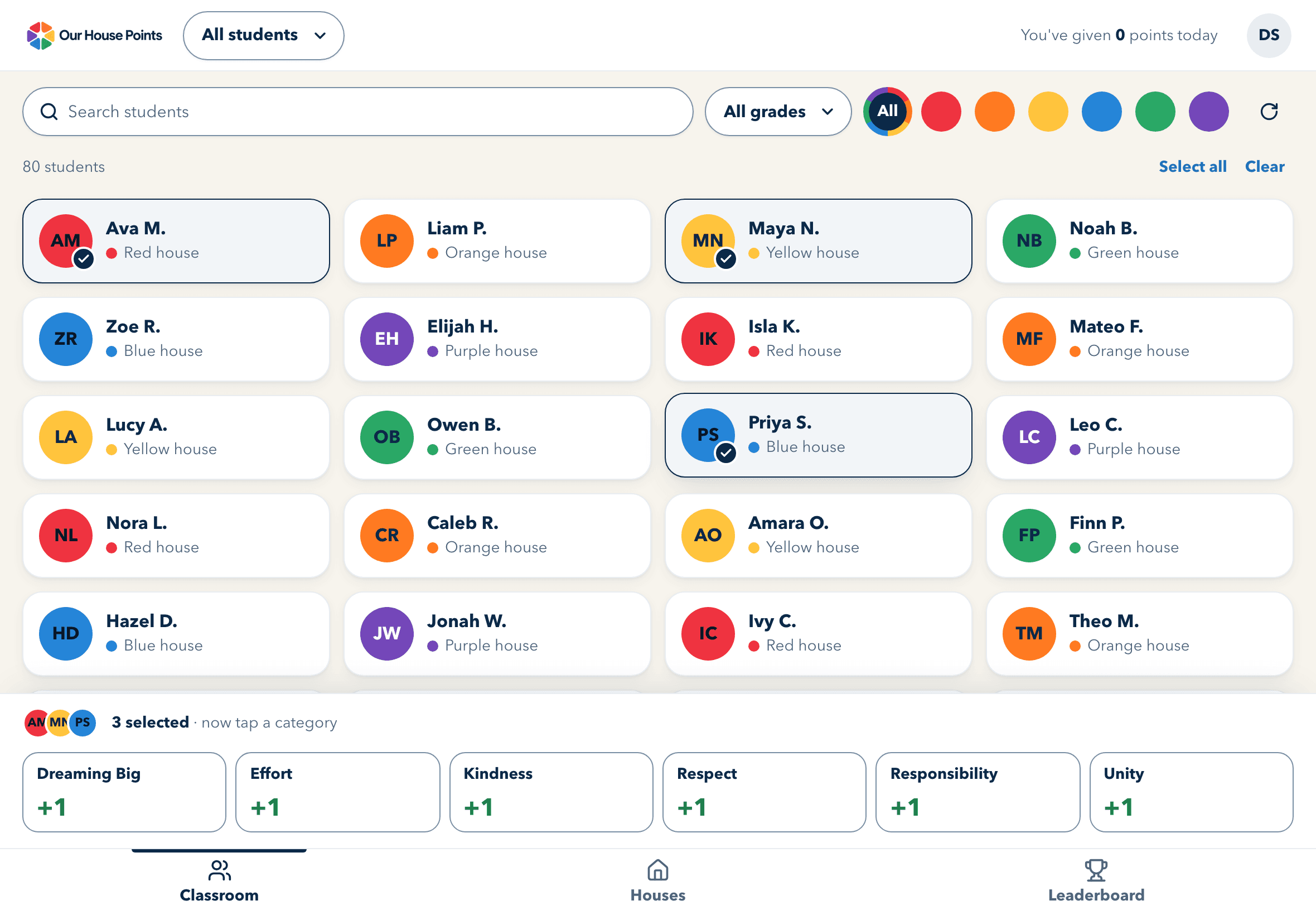
Tap the students, then the value. Teachers recognize the moment while it is still happening, from any phone, tablet or Chromebook, in the browser or installed on the home screen.
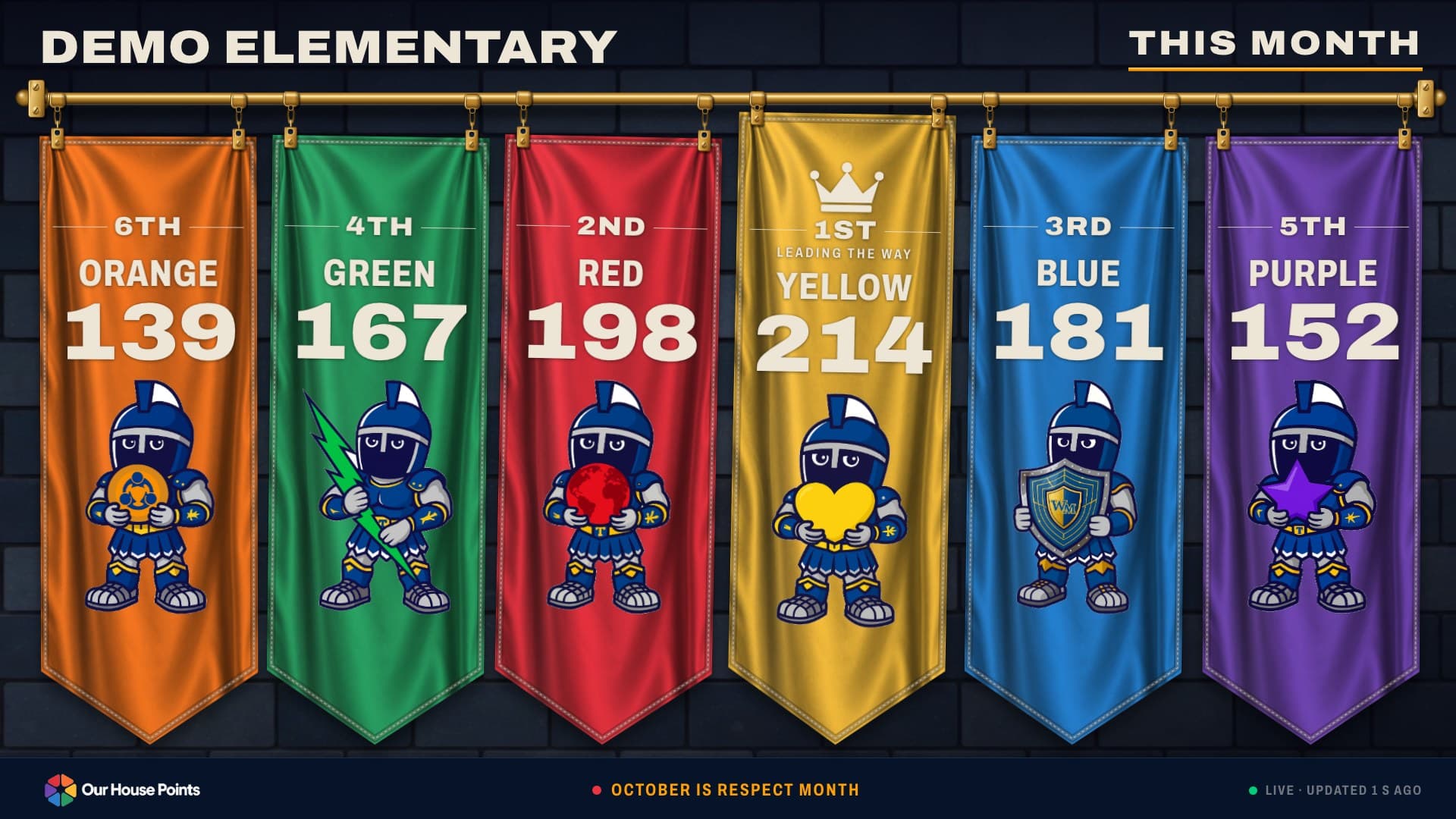
The hallway TV shows every house's place and points, updated within moments of each award. It shows house totals only, never student names.
This is how it feels in a classroom: tap a few students, tap the value they showed, and each one earns a point for their house on the hallway TV. Tapped the wrong child? Undo takes it back. Go ahead, it's only a demo.
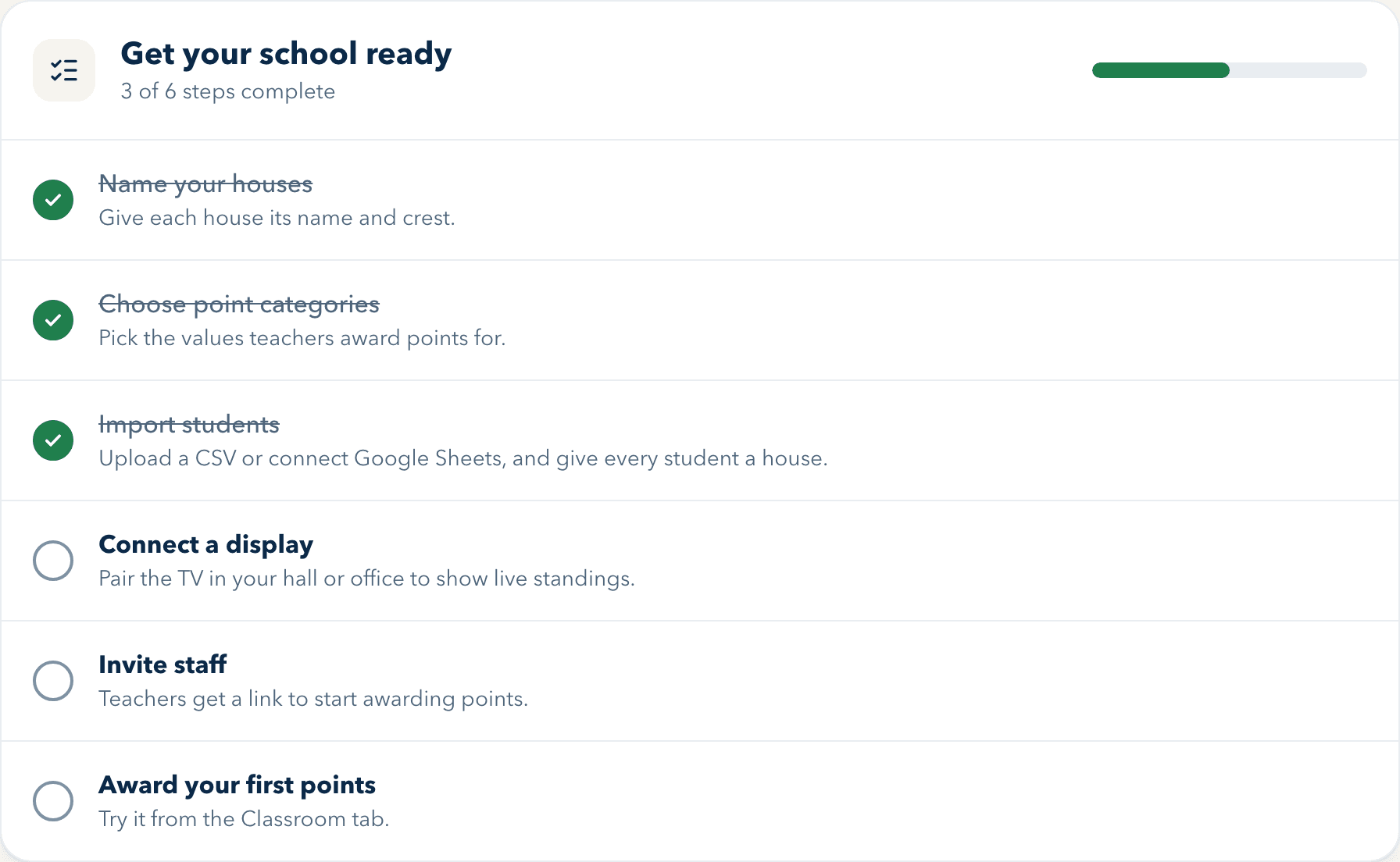
Setup is six steps, and the admin page shows which are done. Each step opens the page that finishes it. Most take minutes; gathering your house art and importing the roster take the longest, so do them at your own pace before launch day.
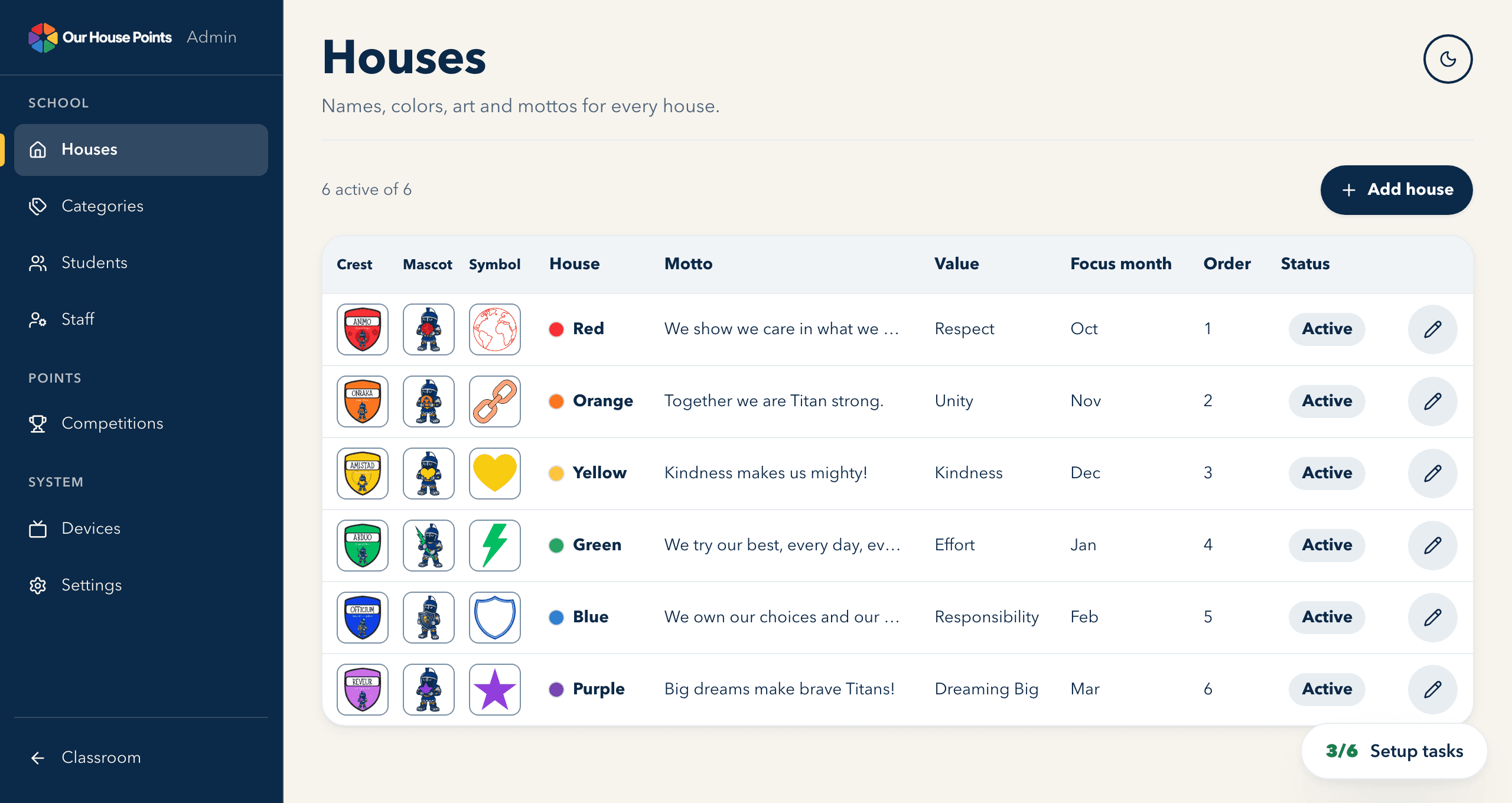
Every school names its own houses, picks each one's color and uploads its crest, mascot and motto. Our demo school below uses six color names; yours might be four houses called Oak, Maple, Cedar and Willow.
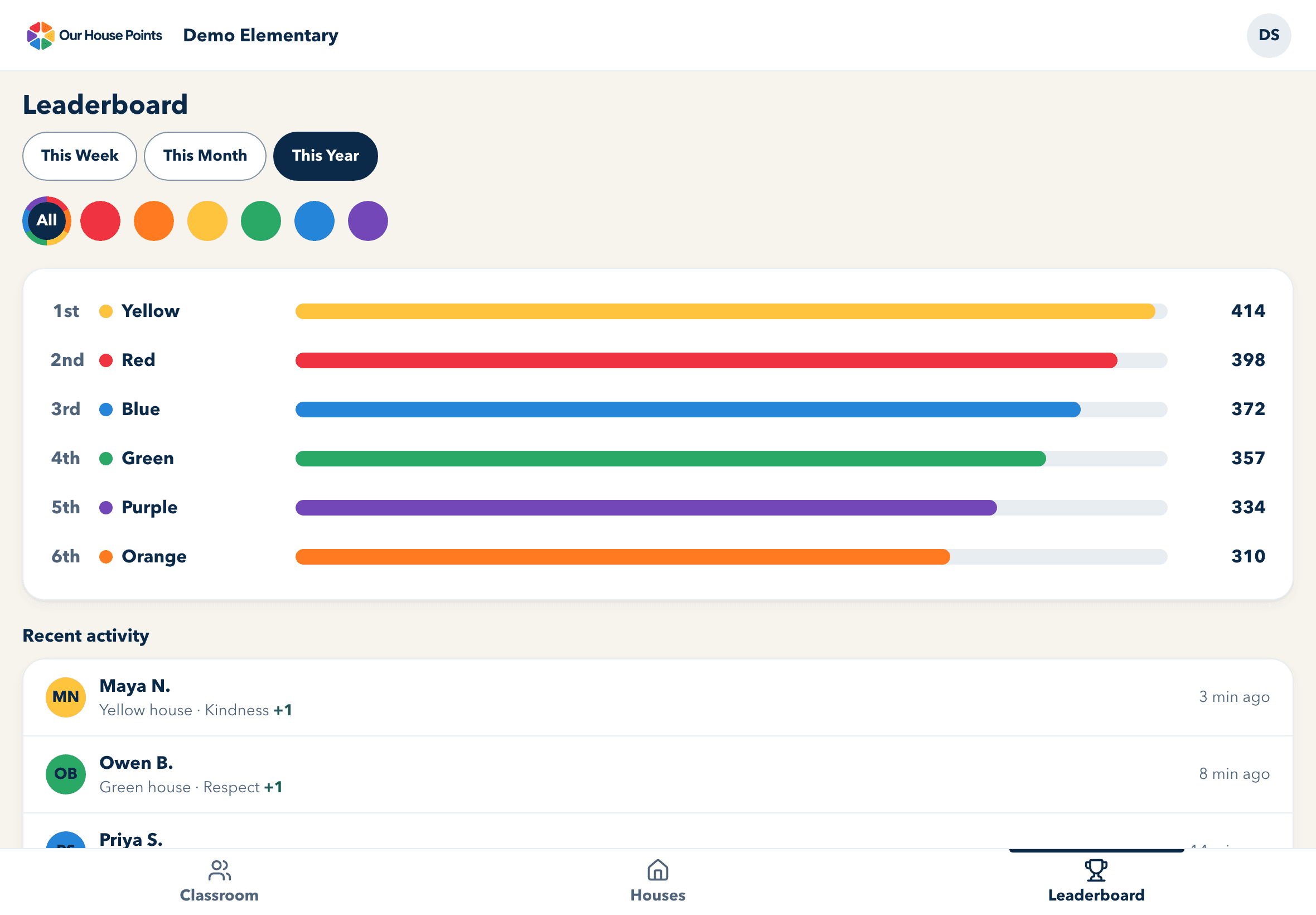
Staff can check the race any time: this week, this month or the whole year, with the latest awards right underneath.
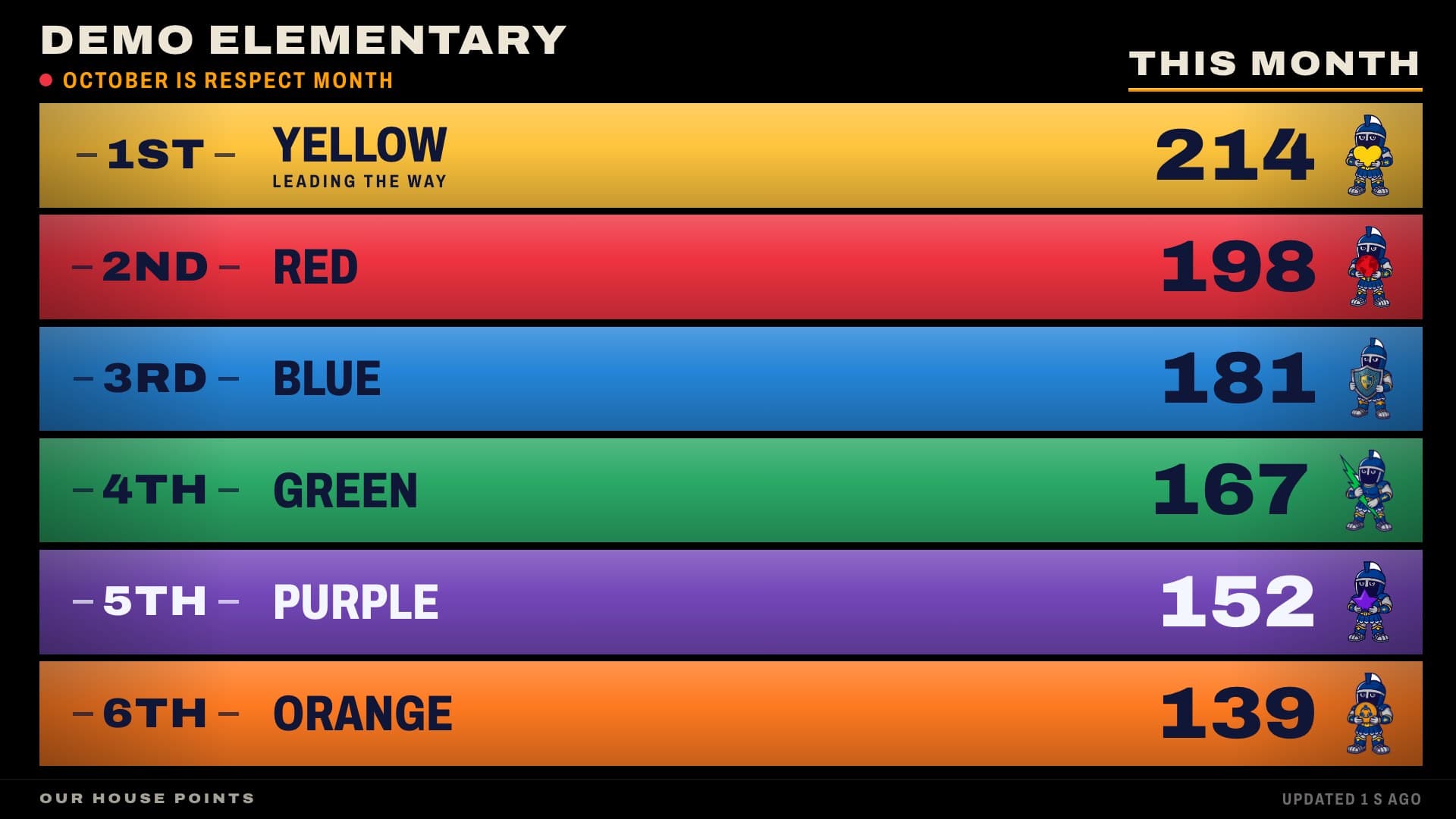
Put it on the hallway TV and watch students stop to check the standings. Hang each house's banner on the stone wall, or switch to a bold stacked tally that reads from across the gym. Either way the leader stands out and new points show up within moments.
The hallway display on a school TV, in either of its two looks. Points shown are examples.
The TV takes care of itself all day, and gives you the controls for assembly. Try the switches.
This Week: Blue house leads.
This week, this month and this year take turns on screen. The leader of each is whoever earned the most points in it.
Lock the standings before an assembly. New points keep counting behind the scenes and show on screen within minutes of unfreezing.
Show places without totals when the race is about taking part.
Pick the stone-wall Hall or the bold Scoreboard. Outside school hours the screen goes dark by itself.


Points always arrive with the value behind them. That turns a number into a lesson, and a lesson into a habit.



Every student and staff member should be able to take part, whatever their abilities. We build Our House Points to WCAG 2.1 Level AA, check our work as we go, and make it better with every release.
Read our accessibility statementfor pricing, per school, per year. Everything your school needs to launch houses, award points and celebrate together.
Elementary schools that run, or want to start, a house system: teachers award points in class, and a hallway TV shows the whole school how its houses stand.
Four to eight, with any names and any colors. Each house gets its own crest, mascot, symbol, motto and value, from art you upload.
Yours. The admin names the point categories, usually the values your school already teaches. Our demo school uses Respect, Unity, Kindness, Effort, Responsibility and Dreaming Big.
No. The TV shows each house's place and points for the week, month or year, and nothing about individual students. Names are only ever seen by signed-in staff.
Every award shows an Undo button for five seconds, and it takes the points straight back off the house.
Today, teachers add it to their phone's home screen straight from the browser. It opens like an app, updates itself, opens without Wi-Fi, and sends awards when it reconnects.
Upload a CSV from your student information system, or connect a Google Sheet that we read each night. A new student is added the next time you upload, or overnight from the Sheet. Uploading the same file again is safe: students are matched by their student number.
No. Staff without Google sign in with a one-time code emailed to their school address. Microsoft sign-in isn't available yet.
No. Only school staff have accounts. Students hear about their points in class and see their house on the hallway TV; families see the standings when they are in the building.
Optional contests with their own dates, such as a fall cup or a reading month. Each one gets its own standings on the staff leaderboard, and you choose whether it also shows on the hallway TV.
In the United States, with Neon (database) and Vercel (hosting). Only your signed-in staff can see your school's information, each school's data is kept apart from every other school's, and we never sell it or use it for advertising. The details are in our privacy policy.
Book a 20-minute walkthrough. Tell us your house names and colors, and we'll show them on the hallway board.